01 / THE CHALLENGE
A small edit can affect an entire site.
An administrator needs to know which site is selected, what a schedule allows, and where an exception applies. The design puts that context around the editing task instead of leaving the schedule as an isolated grid.
Administrators need control over complex time rules, but they also need to predict the effect of a change. Clear site context and deliberate confirmation are more valuable here than reducing every action to a single click.
02 / MY ROLE & APPROACH
Working through the rules and exceptions.
My focus was the schedule-management workflow and the interface patterns around it. I worked through the main editing surface as well as holiday exceptions, record actions, and confirmation states.
Project timeline · design phases
- 01
Frame the task
Define site context and the schedule-editing task.
- 02
Organize the experience
Separate recurring intervals from exceptional dates.
- 03
Resolve the interface
Work through editing, deletion, and unsaved states.
- 04
Prepare for execution
Document shared components and interaction rules.
03 / INFORMATION ARCHITECTURE
Sites, schedules, and access rules.
The main areas of the product, and the information each one needs to keep together.
Location context
- Organization
- Site
- Site navigation
Time rules
- Weekly schedules
- Time intervals
- Holiday exceptions
Record actions
- Create & duplicate
- Edit & save
- Confirm deletion
04 / USER FLOW
Creating and reviewing a schedule.
A useful flow needs to account for what happens when someone cannot take the next step immediately.
- 01Select site
- 02Review schedule
- 03Edit intervals
- 04Confirm the change
A holiday changes the rule?
Review the exception separately before confirming the schedule change.
05 / DESIGN DECISIONS
Making scope and consequences visible.
Keep the site hierarchy visible
Navigation and breadcrumbs establish the current organization and site. That context stays present while the administrator works on the schedule.
Separate the rule from the exception
Weekly schedules and holiday settings use related patterns but have distinct homes. The difference between a recurring interval and an exceptional date stays explicit.
Design the surrounding states
Duplication, deletion, empty states, and unsaved changes are part of the workflow. The accompanying design-system document defines typography, color, icon sizes, and component states to support consistency.
06 / THE WORK
The whole task, including the exceptions.
Keep ordinary rules and exceptions distinct
Weekly schedules and holiday exceptions belong to the same access system, but they answer different questions. The layouts keep the selected site visible while making that distinction explicit.
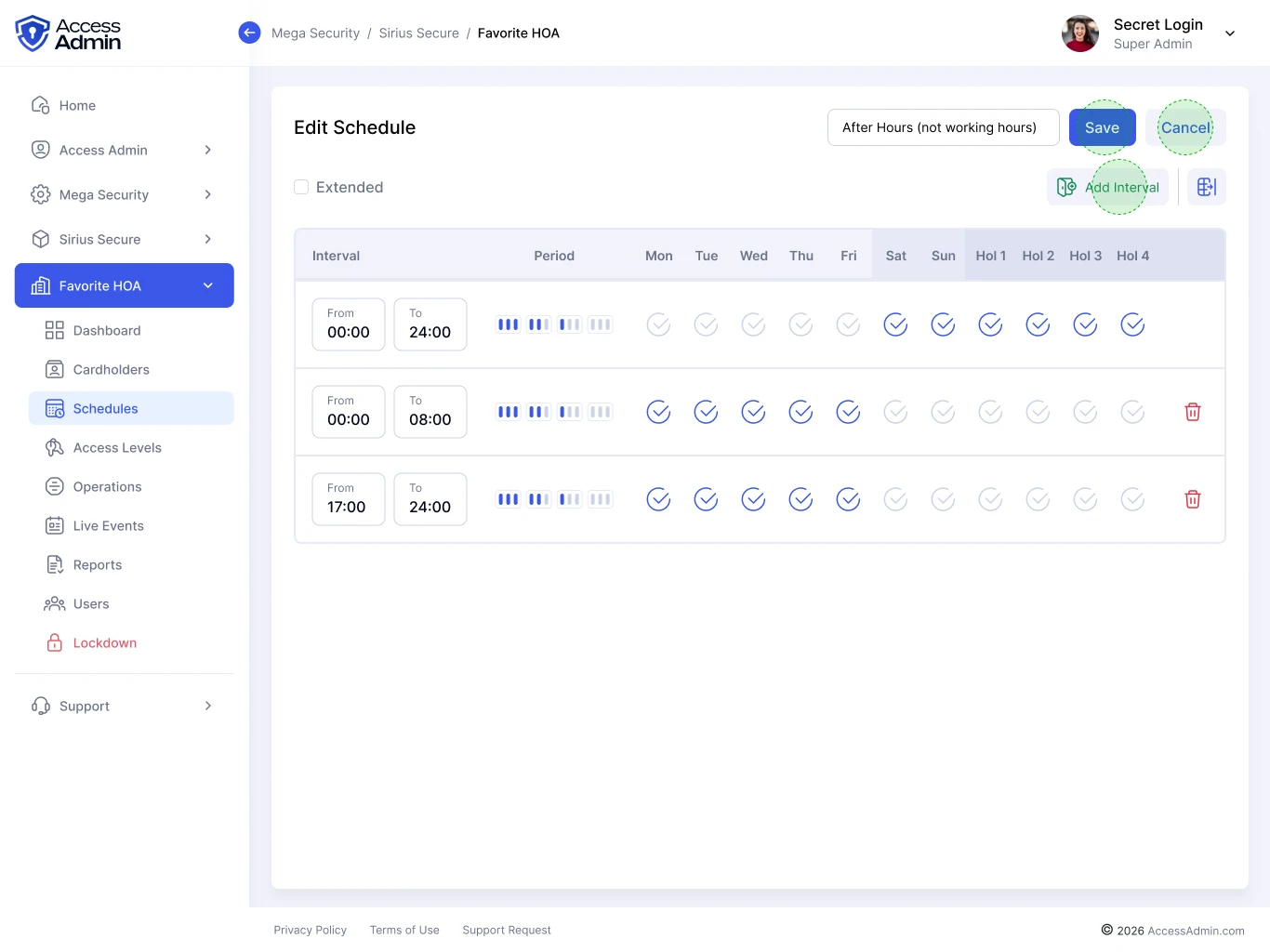
Day and time intervals sit inside the surrounding site context.
View screen ↗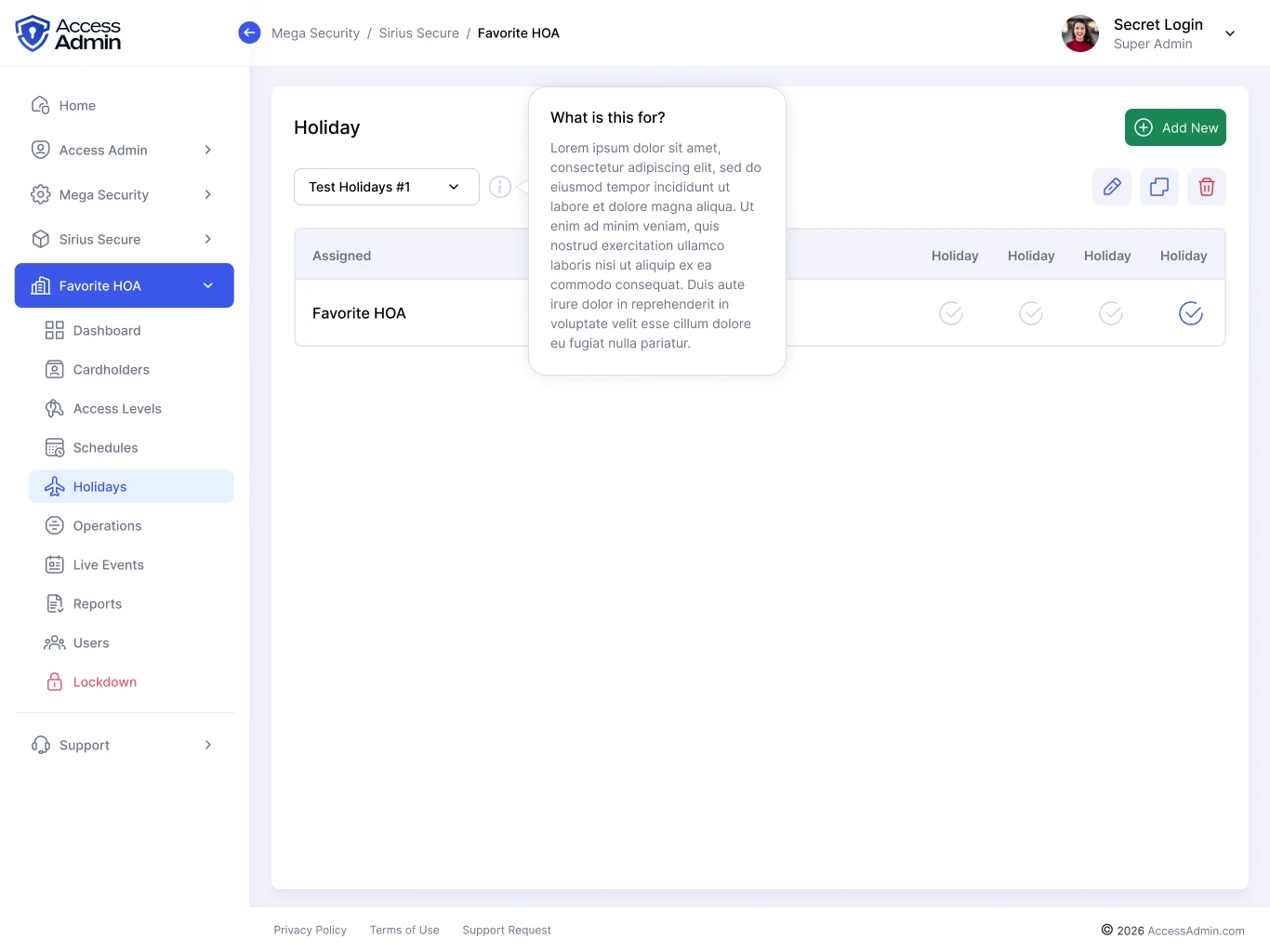
Exceptional dates have a dedicated management area.
View screen ↗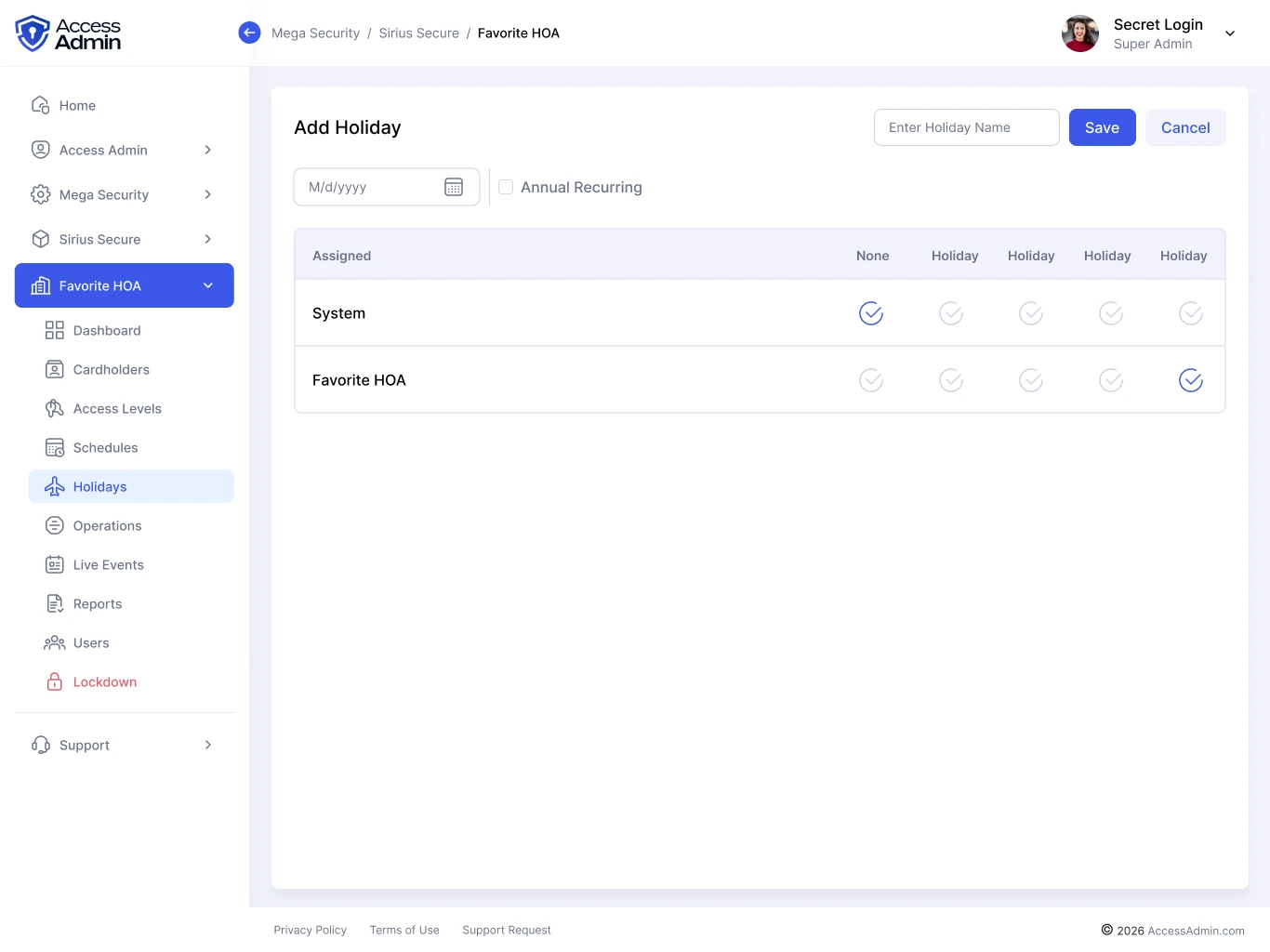
The holiday flow makes site selection part of configuring the exception.
View screen ↗Design the moments around an edit
An administrator can duplicate a schedule, leave an edit unfinished, or remove a record. Each of those actions needs a clear consequence and a way back.
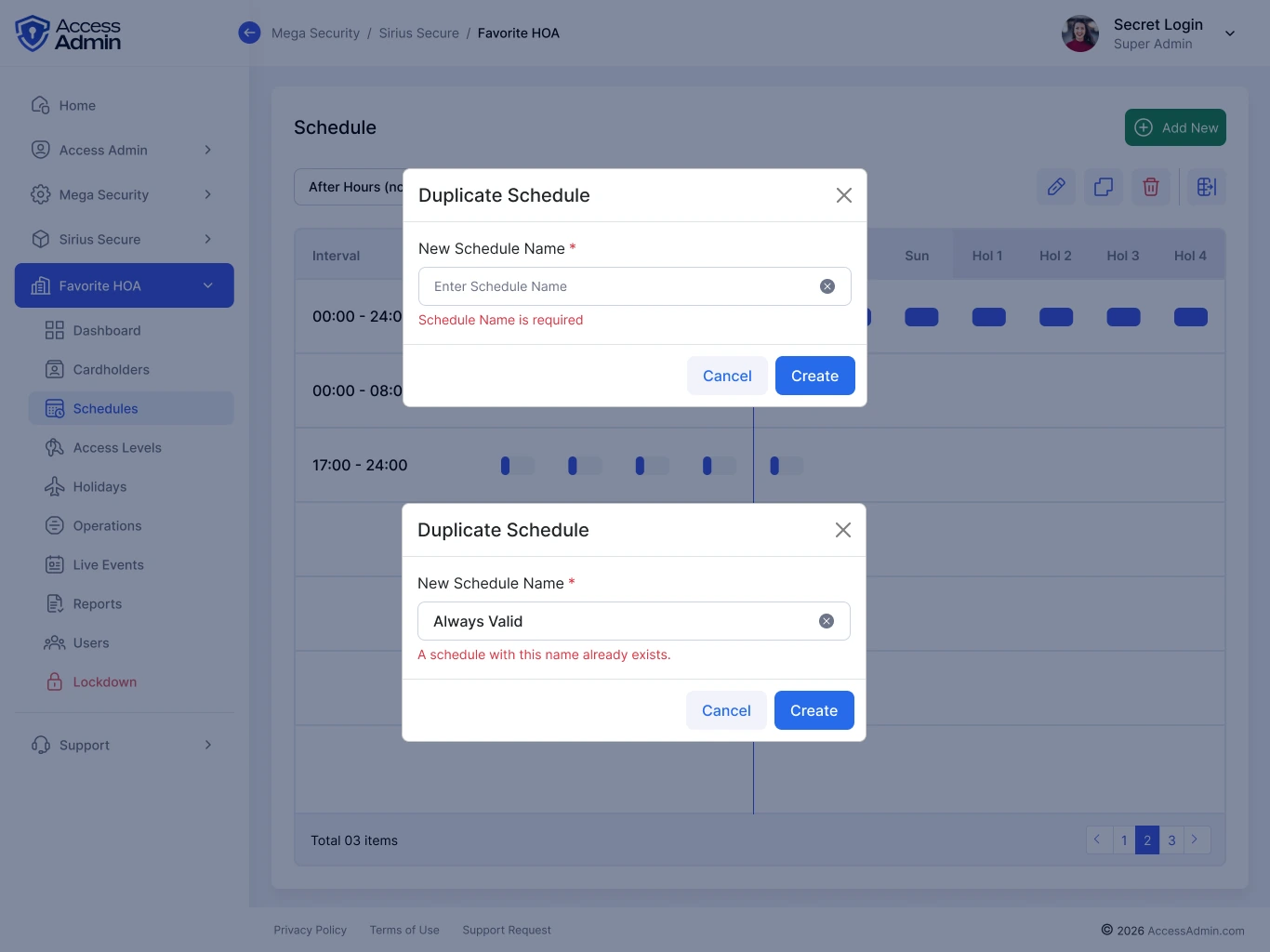
The source explores the naming and validation states around duplication.
View screen ↗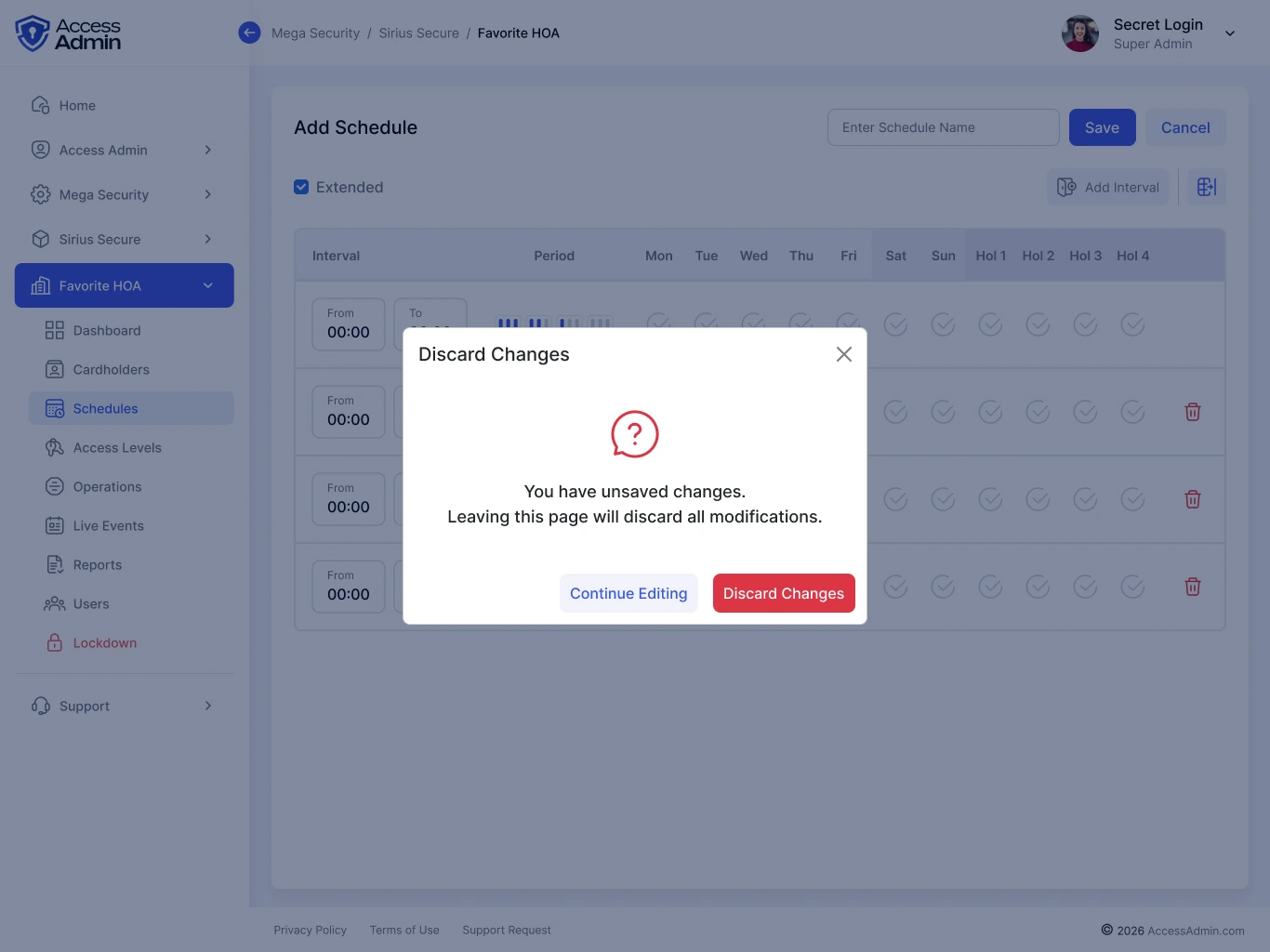
A confirmation separates leaving the editor from losing the current changes.
View screen ↗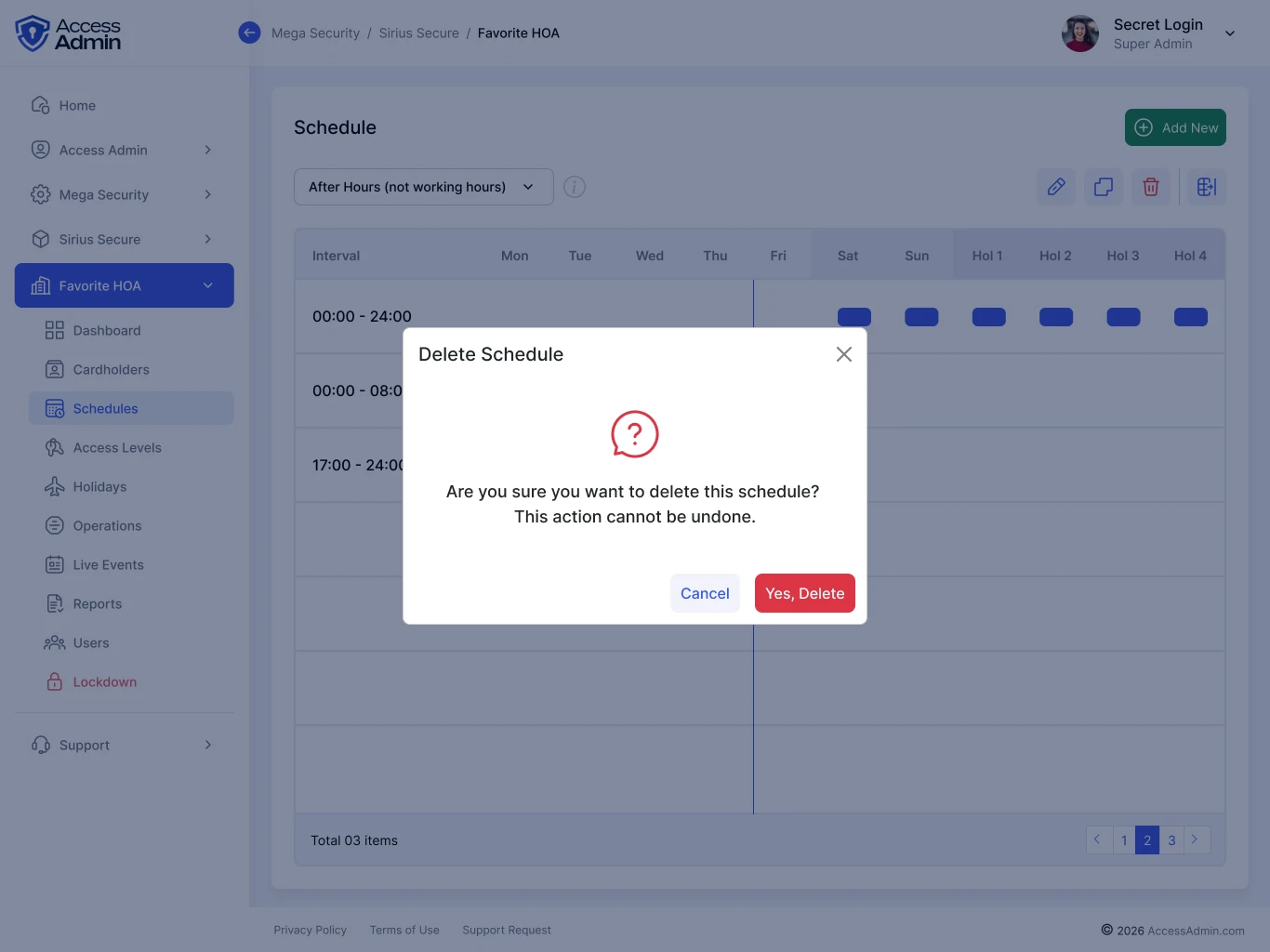
The destructive action asks for a deliberate decision.
View screen ↗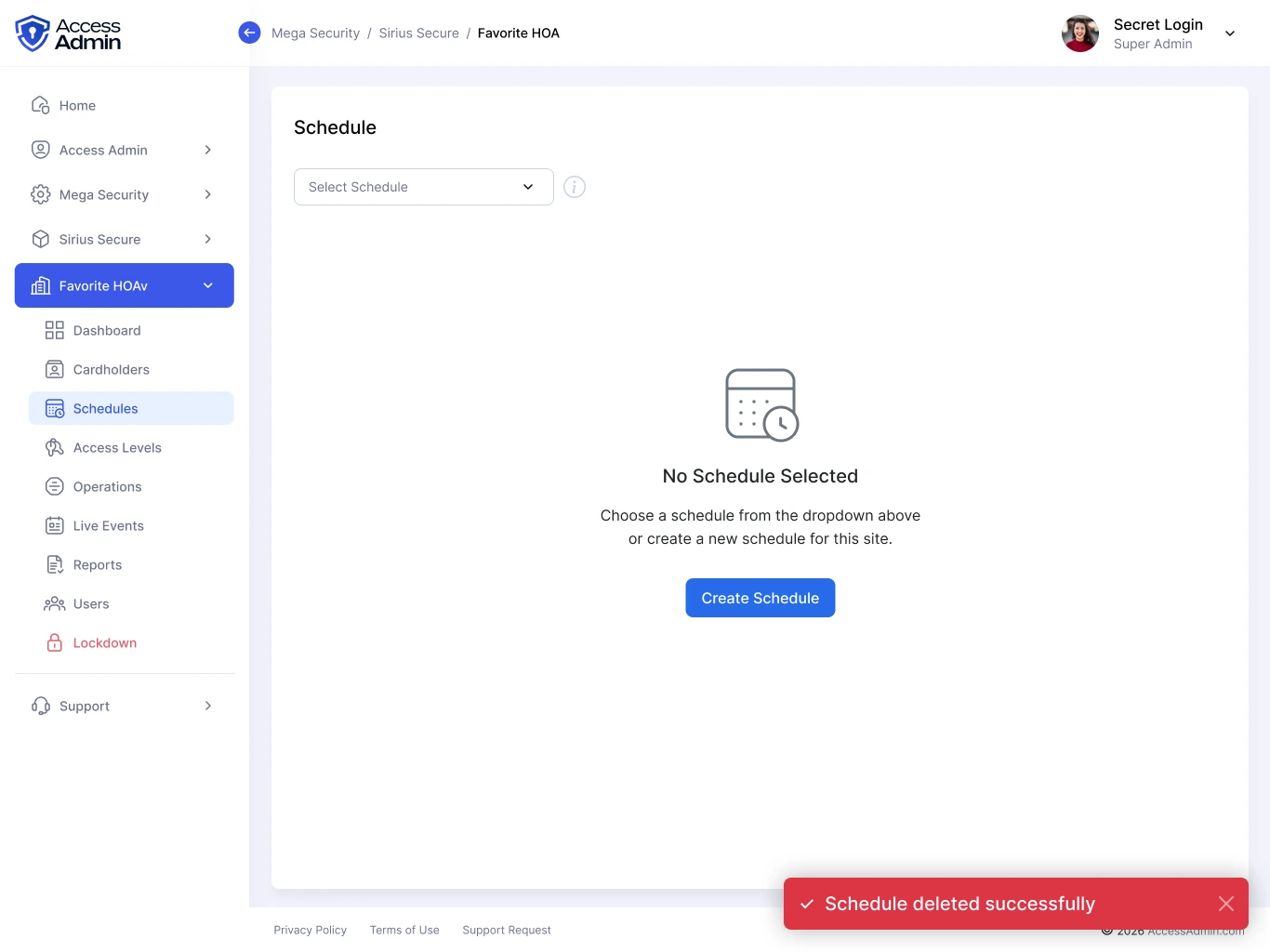
The empty schedule area explains where to begin instead of leaving a blank panel.
View screen ↗07 / DESIGN INTO DEVELOPMENT
Consistent behavior across the admin tools.
Reusable inputs are only part of the system. Schedule editors also need consistent validation, unsaved-change behavior, and keyboard-accessible confirmation dialogs. The interface should make the selected site and affected record visible before a destructive action.
Door operations in HTML
The local frontend extends the system into door operations. State labels, reader status, gateway selection, and the related action panel share the same workspace.
08 / REFLECTION
A schedule is more than a grid.
The work covers the routine editing flow and the states around it. Overnight intervals, overlapping rules, and holiday precedence remain the cases to validate with real operational scenarios.
I would test overnight intervals, duplicate schedules, holiday exceptions, and unsaved changes. The key question is whether administrators can predict what a change affects before committing it.