01 / THE CHALLENGE
A name is only the start of an arrival.
A guard may need to distinguish two people with similar names, check a vendor’s company, or connect a guest to the right resident. Splitting that information across screens makes the task harder. This design brings the visitor list and the selected person’s details into the same workspace.
Density is useful only when it helps a decision. The list carries enough information for recognition; the profile carries the detail needed to act. Status labels need words as well as color, especially when several states appear together.
02 / MY ROLE & APPROACH
Connecting a visitor with their access details.
I focused on the relationship between a visitor, the property, and the person they are visiting. My design work connects that structure to the list, profile, and access details a gate team needs in the same moment.
Project timeline · design phases
- 01
Frame the task
Map visitor types and their relationship to a property.
- 02
Organize the experience
Organize list, profile, and access information.
- 03
Resolve the interface
Resolve dense records and distinct visitor states.
- 04
Prepare for execution
Keep labels and shared record patterns consistent.
03 / INFORMATION ARCHITECTURE
People, properties, and access records.
The main areas of the product, and the information each one needs to keep together.
Property context
- Properties
- Residents
- Visitor relationships
Visitor records
- Guests & vendors
- Contact & vehicle details
- Searchable visitor list
Access context
- Pass information
- Entry history
- Profile-level status
04 / USER FLOW
From a visitor search to the right record.
A useful flow needs to account for what happens when someone cannot take the next step immediately.
- 01Find a visitor
- 02Confirm identity
- 03Review access context
- 04Continue the entry workflow
More than one matching record?
Use company, resident, or vehicle context before choosing a profile.
05 / DESIGN DECISIONS
Keeping useful context close.
Keep the list in view
The visitor list stays beside the profile. A guard can move between records while contact details, vehicle information, and access passes remain in a consistent position.
Use visitor types where they matter
Guests and vendors need different supporting information. Labels, icons, and profile variations make that distinction visible without requiring a separate application for each type.
Define the relationships first
The taxonomy connects properties, residents, guests, and vendors. That structure carries into search, lists, and profile details, so the same relationship is described consistently across the product.
06 / THE WORK
The details behind a faster lookup.
Move from recognition to the right record
The list and profile serve different parts of the same task. The list helps locate a person; the profile brings their relationships and access information into view.
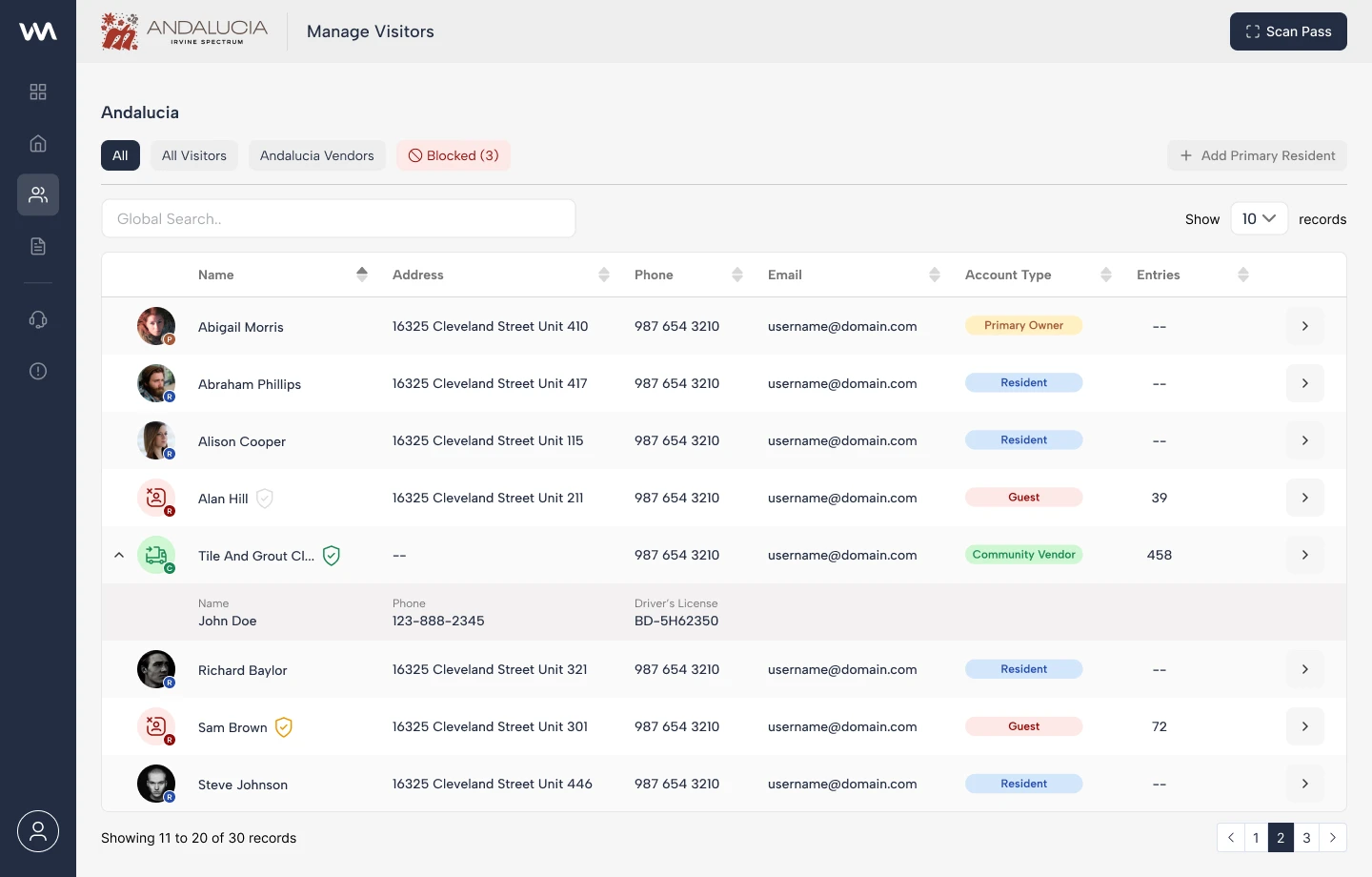
Visitor type, status, and recent activity support a quick scan.
View screen ↗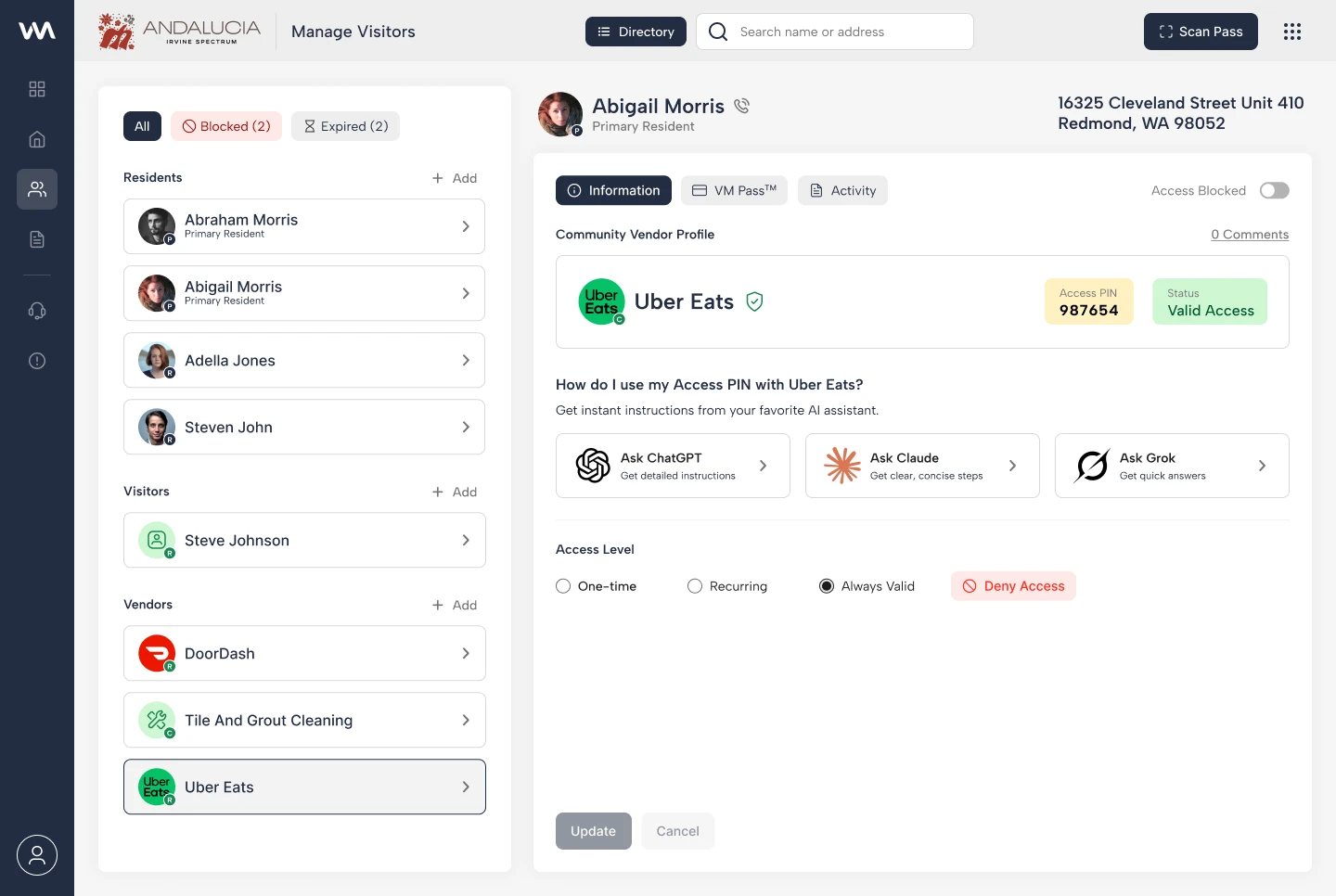
The split view keeps the list nearby while the selected visitor’s information is reviewed.
View screen ↗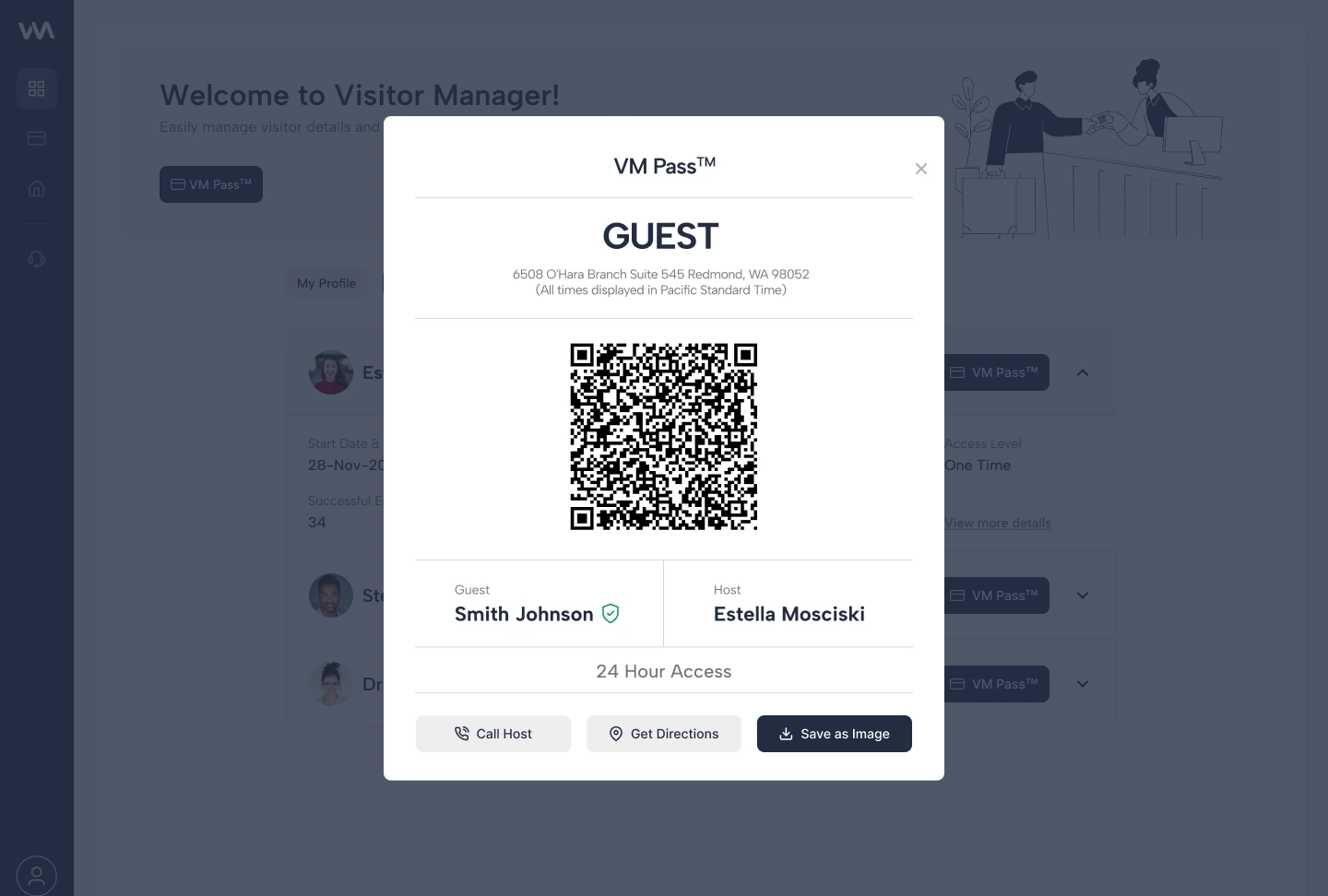
The pass appears as a focused overlay within the visitor workflow.
View screen ↗Make the relationships explicit
Residents, properties, guests, and vendors are connected records. The taxonomy provides a common structure for navigation and for the information shown in a profile.
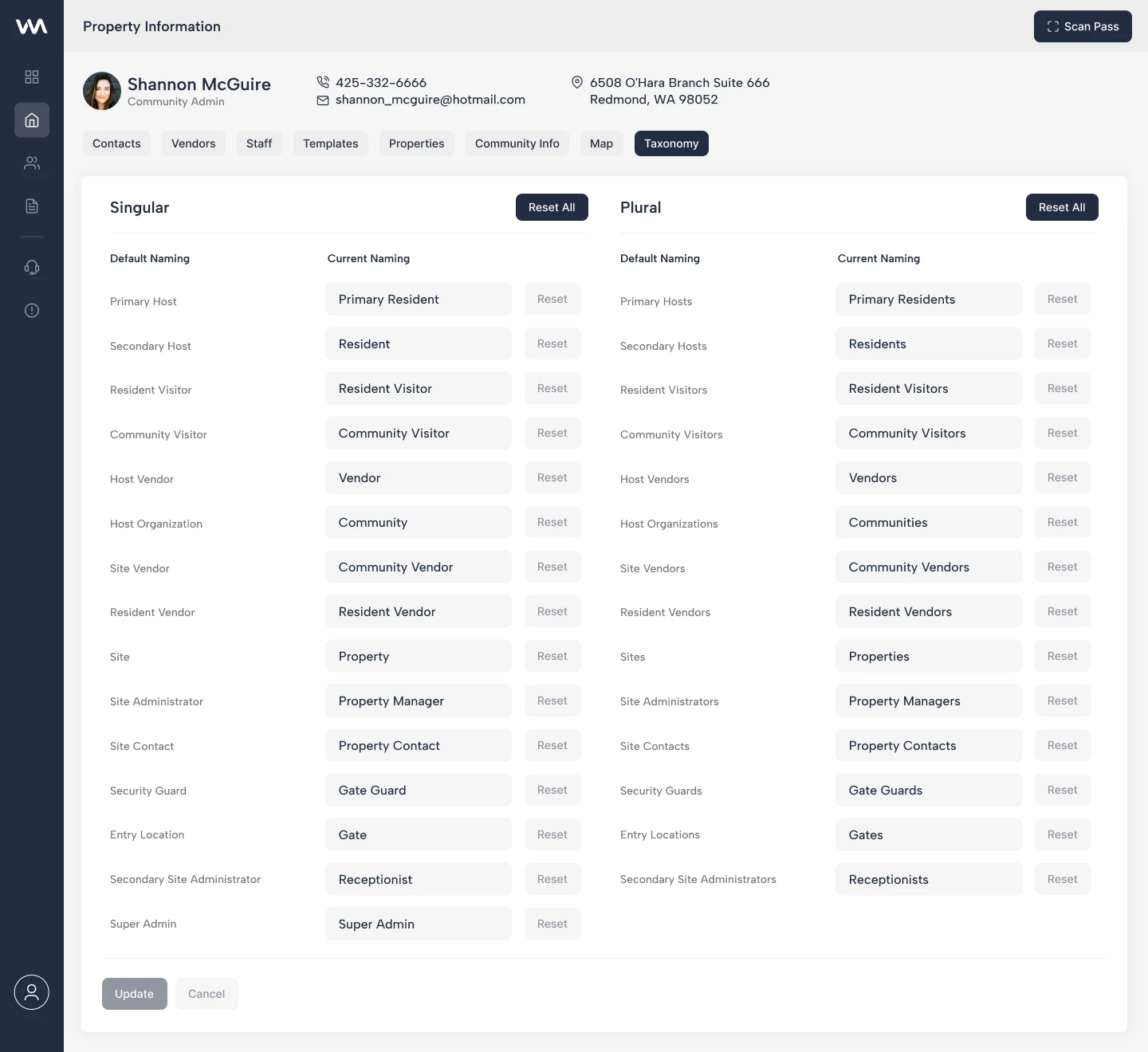
The original design artifact maps the product’s relationships.
View screen ↗07 / DESIGN INTO DEVELOPMENT
Building the visitor workspace.
The split layout needs to keep selection and profile content synchronized. Long names, missing vehicle information, and dense status combinations should still fit the same record pattern. Keyboard focus should follow the selected record without making the list disappear.
The visitor list in HTML
The frontend keeps the search and list patterns in the application shell. Seeing the layout in the browser makes the spacing, record density, and navigation relationships easier to assess.
08 / REFLECTION
From lookup to access context.
The list, profile, and access details belong to one workflow. Keeping them connected is the strongest part of this design. The next question is whether a guard can distinguish similar records and spot an access exception quickly enough during a busy arrival period.
I would test a timed lookup with similar names, a vendor arriving for the first time, and a visitor with ambiguous access status. Task success and mistaken selections would matter more than visual preference.